A few weeks ago I started experimenting with (Portable Executable)PE file structures, specifically looking at how loaded modules of a process can be resolved through PEB traversal. Although many tools already implement this technique, I wanted to understand the mechanics by building the implementation myself
In Windows, each process has a Process Environment Block (PEB) that contains information about the process, including loaded modules and runtime structures. On x64 systems, the PEB structure of a process can be accessed through the Thread Environment Block (TEB), which is referenced via the gs segment register.
__readgsqwordThe PEB contains a pointer to PEB_LDR_DATA, the structure responsible for tracking modules loaded by the Windows loader. This structure maintains several linked lists composed of LDR_DATA_TABLE_ENTRY records, where each entry represents a module loaded into the process. By traversing these entries, it is possible to enumerate the modules currently loaded by the Windows loader. One of these lists, InMemoryOrderModuleList, is implemented as a doubly linked list. Walking this list through the LDR_DATA_TABLE_ENTRY structures allows the modules mapped into the process address space to be identified.
GS → TEB → PEB → PEB_LDR_DATA → LDR_DATA_TABLE_ENTRY → Loaded Moduletypedef struct _LDR_DATA_TABLE_ENTRY
{
LIST_ENTRY InLoadOrderLinks; // +0x00
LIST_ENTRY InMemoryOrderLinks; // +0x10
LIST_ENTRY InInitializationOrderLinks; // +0x20
PVOID DllBase; // +0x30
PVOID EntryPoint; // +0x38
ULONG SizeOfImage; // +0x40
UNICODE_STRING FullDllName; // +0x48
UNICODE_STRING BaseDllName; // +0x58
ULONG Flags; // +0x68
USHORT LoadCount; // +0x6C
USHORT TlsIndex; // +0x6E
LIST_ENTRY HashLinks; // +0x70
ULONG TimeDateStamp; // +0x80
} LDR_DATA_TABLE_ENTRY, * PLDR_DATA_TABLE_ENTRY;
An interesting detail is that because the list is doubly linked, a module can be hidden by modifying the Flink* and Blink*, so as the module disappears from the LIST_ENTRY.The code remains mapped in memory, but enumeration tools that rely on the loader lists will no longer detect it.
I used python.exe as a target process for the experiment.
Upon resolving the modules and cross checking with Process Hacker, the results were not matching. I realized I hadn't accounted for manually mapped modules (.dll), Since these cannot be resolved by walking the table I used virtualQueryEx to scan the process address space.
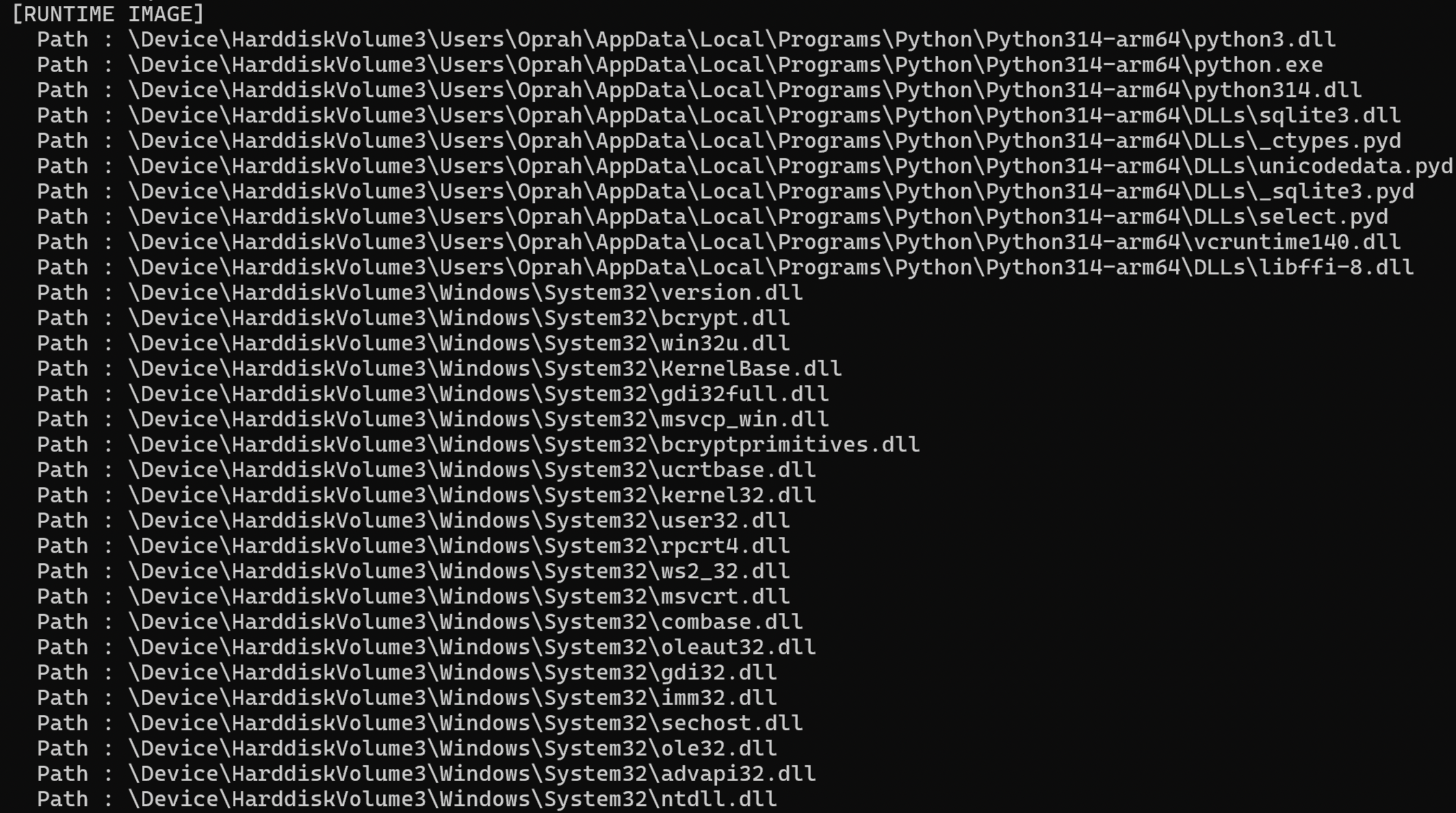
Among the .dll files, one extension stood out as unfamiliar to me .pyd, a dynamically loaded module used by Python.
_ctypes.pyd
Unicodedata.pyd
Select.pyd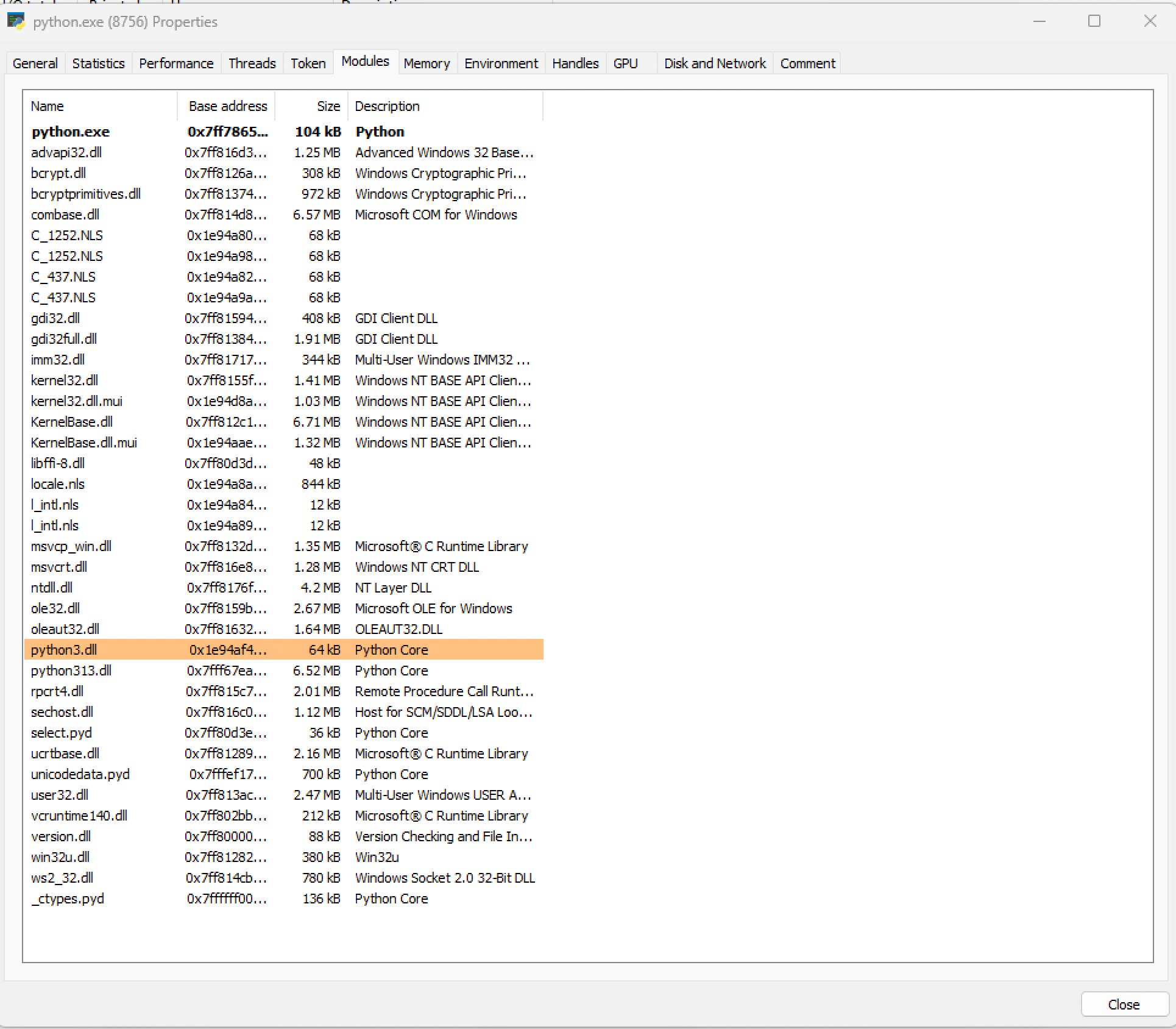
Inspecting the file in PE-bear..pyd is a PE file structure.
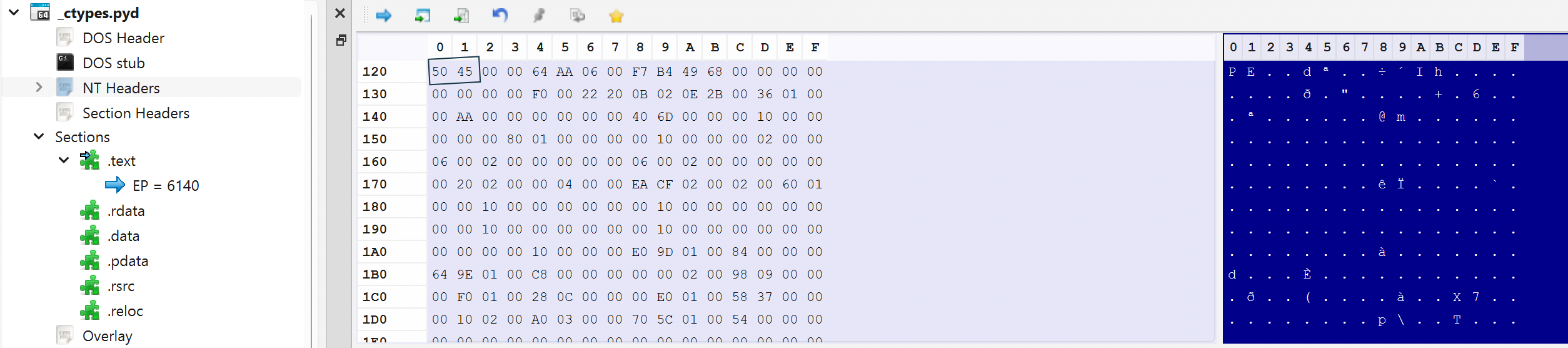
What is PYD?
A .pyd file is a Python dynamic module. It is essentially a Windows module that exposes an interface to Python code or in other terms, a DLL wrapped in a Python ABI (Application Binary Interface). These modules are primarily used for Python to interact with low-level systems and improve performance. Since it is compiled code, it runs as native machine code inside the Python process.
While digging into this, I found that there is already quite a bit of material written about Python extension modules, which I have included in the references.
Trial & Error
One approach I had seen earlier involved achieving native execution through Python using ctypes, dynamically resolving Windows APIs and invoking them directly from the script. Instead of relying on Python’s higher-level functionality, the script calls Windows APIs directly. In some cases this technique is also used to bypass certain user-mode hooks placed on common APIs, although the execution is still ultimately occurring through the Python interpreter.
However, the execution path in this case is still fundamentally script-driven. The Python interpreter processes the script first, and mechanisms such as AMSI may inspect the script content before it actually runs. To explore this difference, I tried a simple comparison using an AMSI test string. When executed through a regular Python script using ctypes, the script is immediately blocked once the interpreter evaluates the string.
Using a .pyd module changes the execution landscape slightly. A .pyd file is a compiled extension module; once it is loaded, execution transitions from interpreted Python code into native machine code running inside the Python process. At that point, the code behaves much more like a normal DLL loaded into the process.
So instead of:
Python script → interpreter → Windows APIthe flow becomes:
Python interpreter → loads .pyd → native code executionThe goal of the experiment was to observe how these two execution paths behave when performing the same action, and how the transition from interpreted code to native execution alters the inspection surface.
The script is blocked as soon as it can:
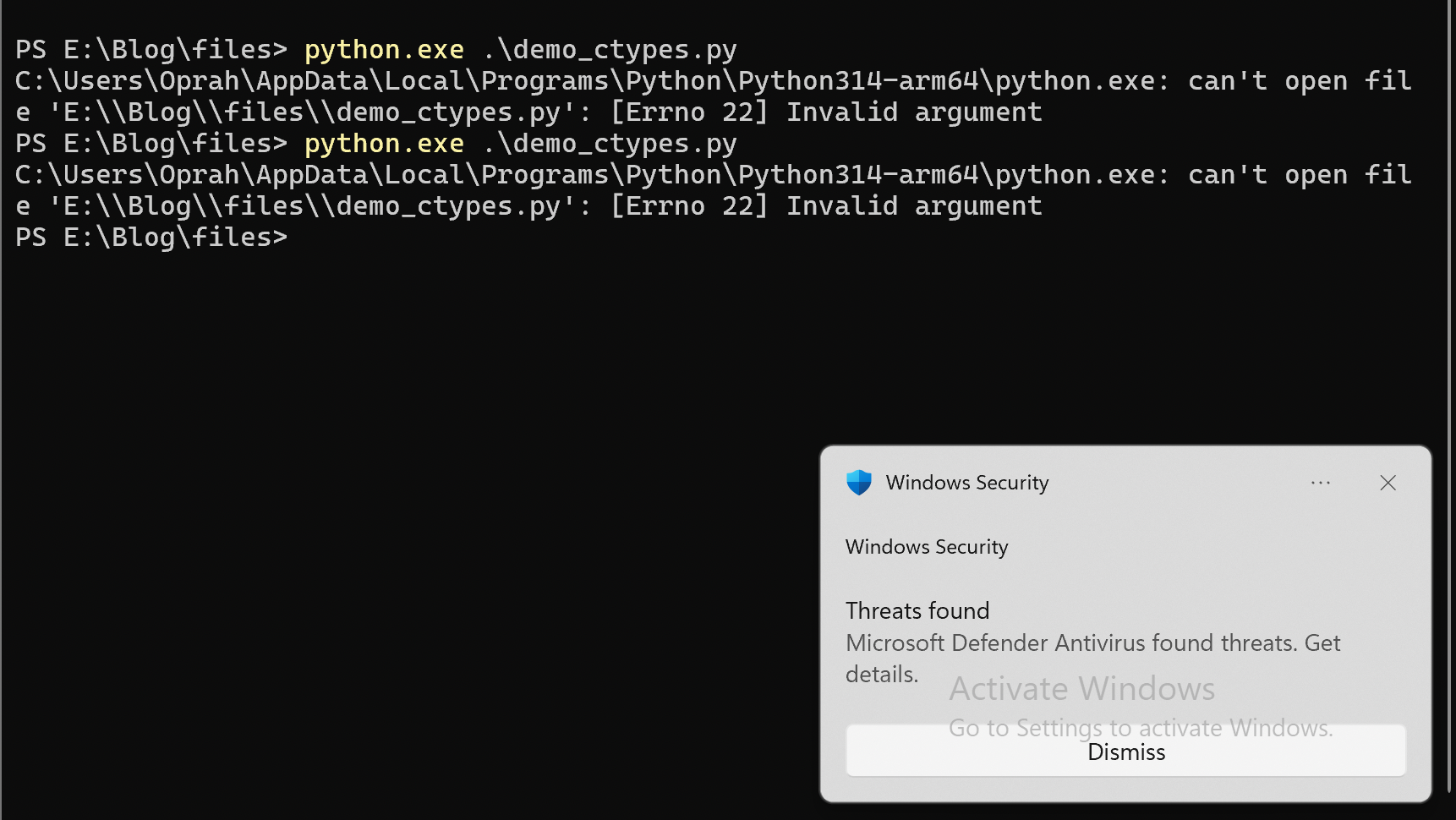
The same logic including the AMSI test string was then executed via the .pyd method.
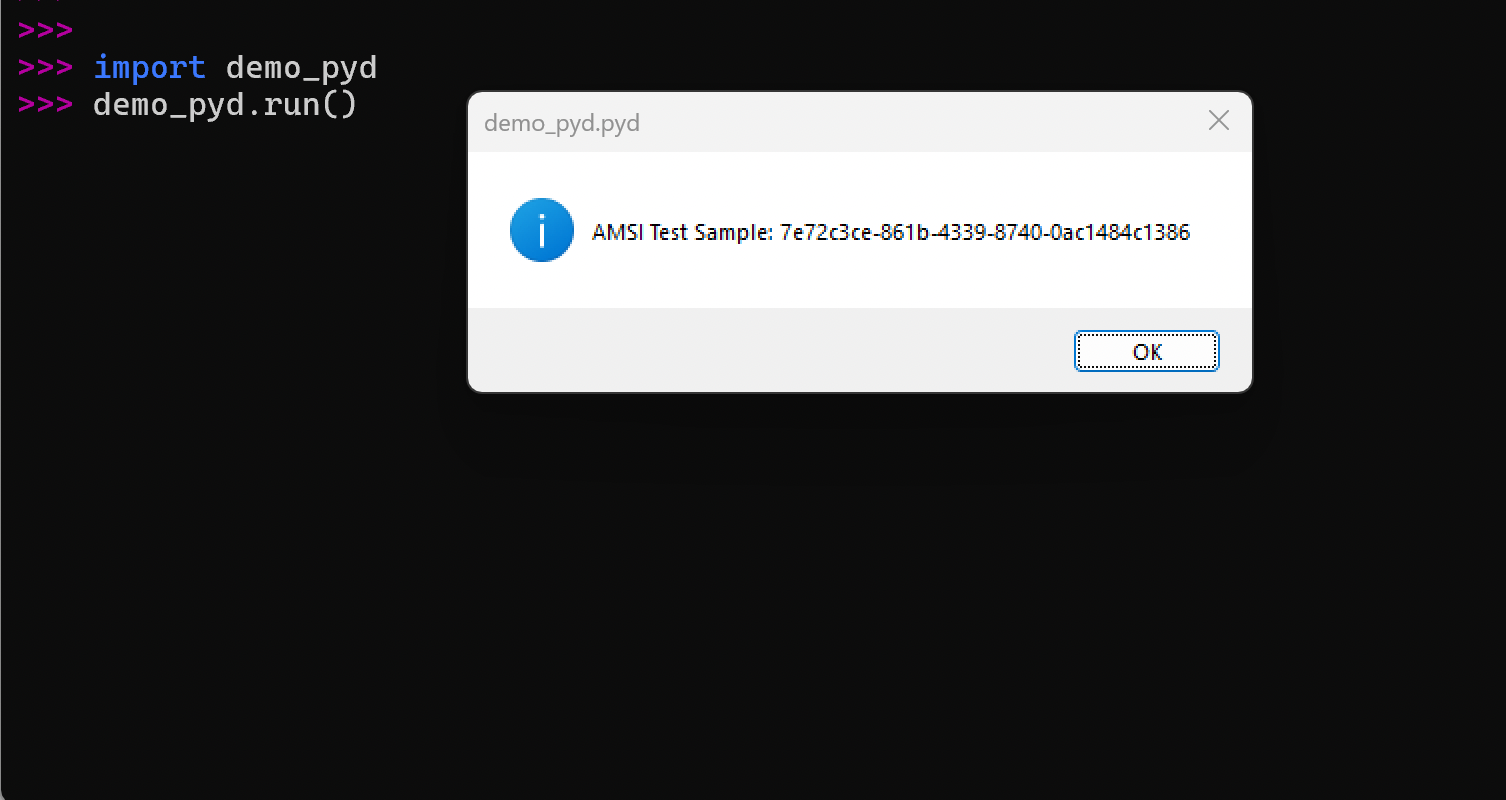
Once execution transitions into compiled native code, a direct comparison using the AMSI test string becomes less relevant, as AMSI primarily operates at the scripting layer.
Reference on how to create
.pydfiles: GeeksForGeeks
"The architecture, Python version, and build configuration are critical when creating a .pyd module."
Even so, malicious activity would likely be identified through user-mode hooks and behavioural monitoring. The module itself appears as N/A, unverified, and unsigned during process inspection, making it a clear point of interest for analysts.
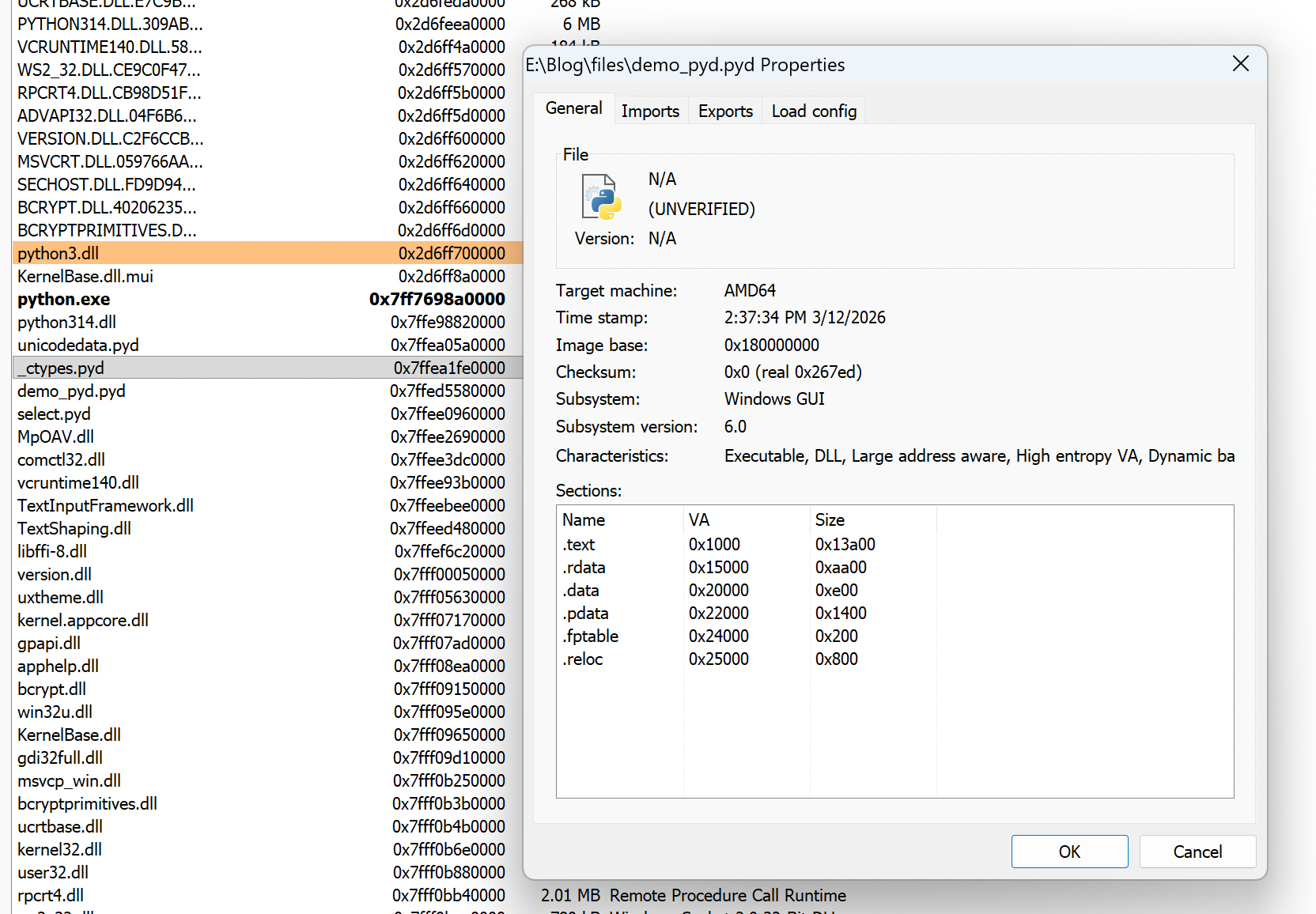
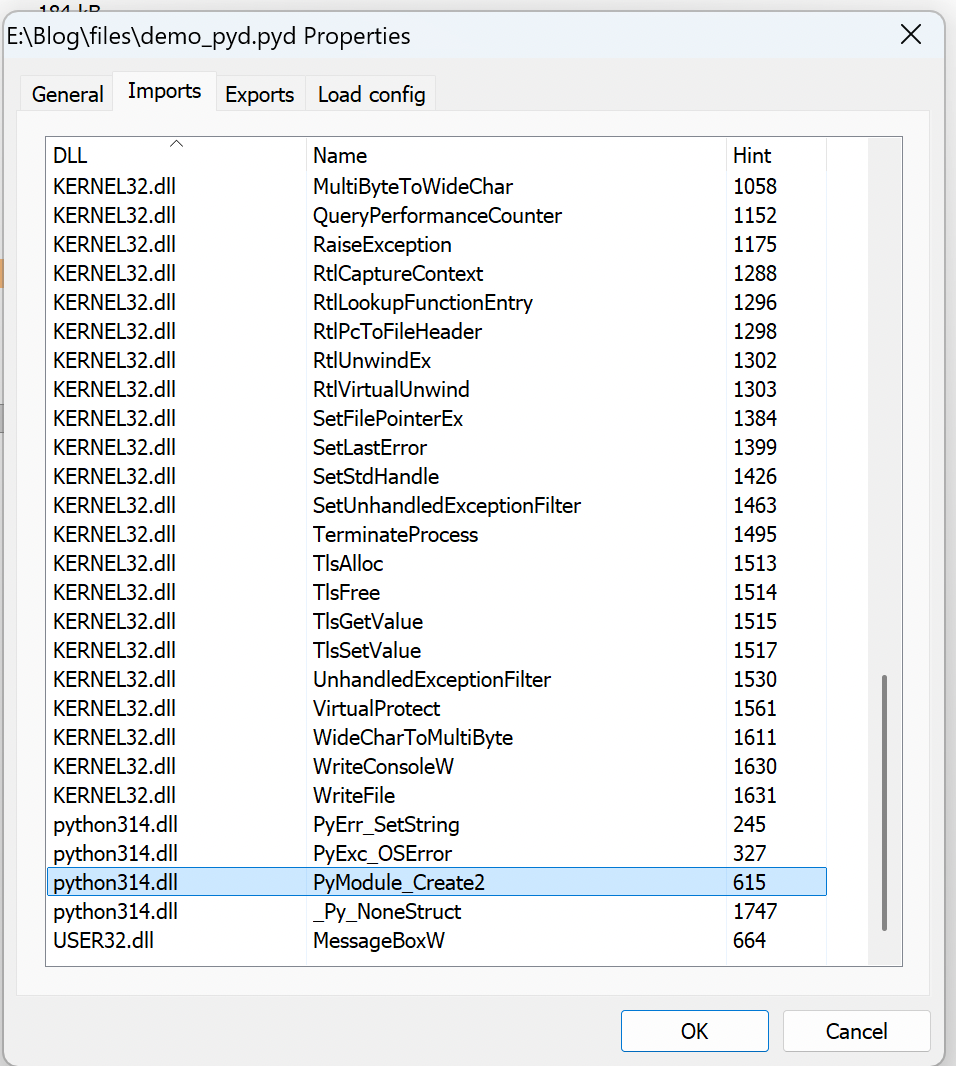
A blue teamer performing process inspection could easily notice this and investigate the module further. Another artifact worth examining is the Import Address Table (IAT). In a PE file, the IAT enumerates the Windows APIs the module imports from other libraries. Reviewing these imports can often reveal clues about the binary’s behavior and capabilities. In the case of a Python .pyd module, the set of Windows API imports may be fairly limited, which makes the IAT particularly useful for analysis. By inspecting the imported functions, defenders can quickly infer what functionality the module might implement.
Cross-process injection is a red flag that AV and EDR products watch for. Allocating memory and writing code within a process’s own address space is not inherently suspicious, as legitimate applications perform similar operations during normal execution. However, loading a new module from an unknown location can still stand out during inspection.
Security tools often monitor patterns like:
Allocate → Write → Protect → CreateRemoteThreadThe most obvious signal occurs when CreateRemoteThread targets a different process. In many cases, the resulting instruction pointer points to a memory region that is not backed by a legitimate module, which quickly attracts attention during analysis.
Blending In
One significant contributor to static imports in Windows binaries is the C Runtime (CRT). When a module is compiled with the default runtime libraries, the resulting binary automatically imports numerous initialization and helper routines, populating the Import Address Table (IAT) and increasing the overall binary size.
To reduce this static visibility, the module was compiled without the CRT, with Windows APIs resolved dynamically at runtime through PEB traversal. By resolving APIs in this way, the binary no longer requires static import entries, leaving the Import Address Table largely empty.
Additionally, a small resource section was included to provide basic module metadata, allowing the binary to resemble legitimate Python extension modules during casual inspection.
Finally, a simple type squatting technique was used when naming the module. The resulting filename intentionally resembles that of commonly loaded Python extension modules, which may allow it to blend into module lists during quick visual inspection.
Result: sqlIite.pyd
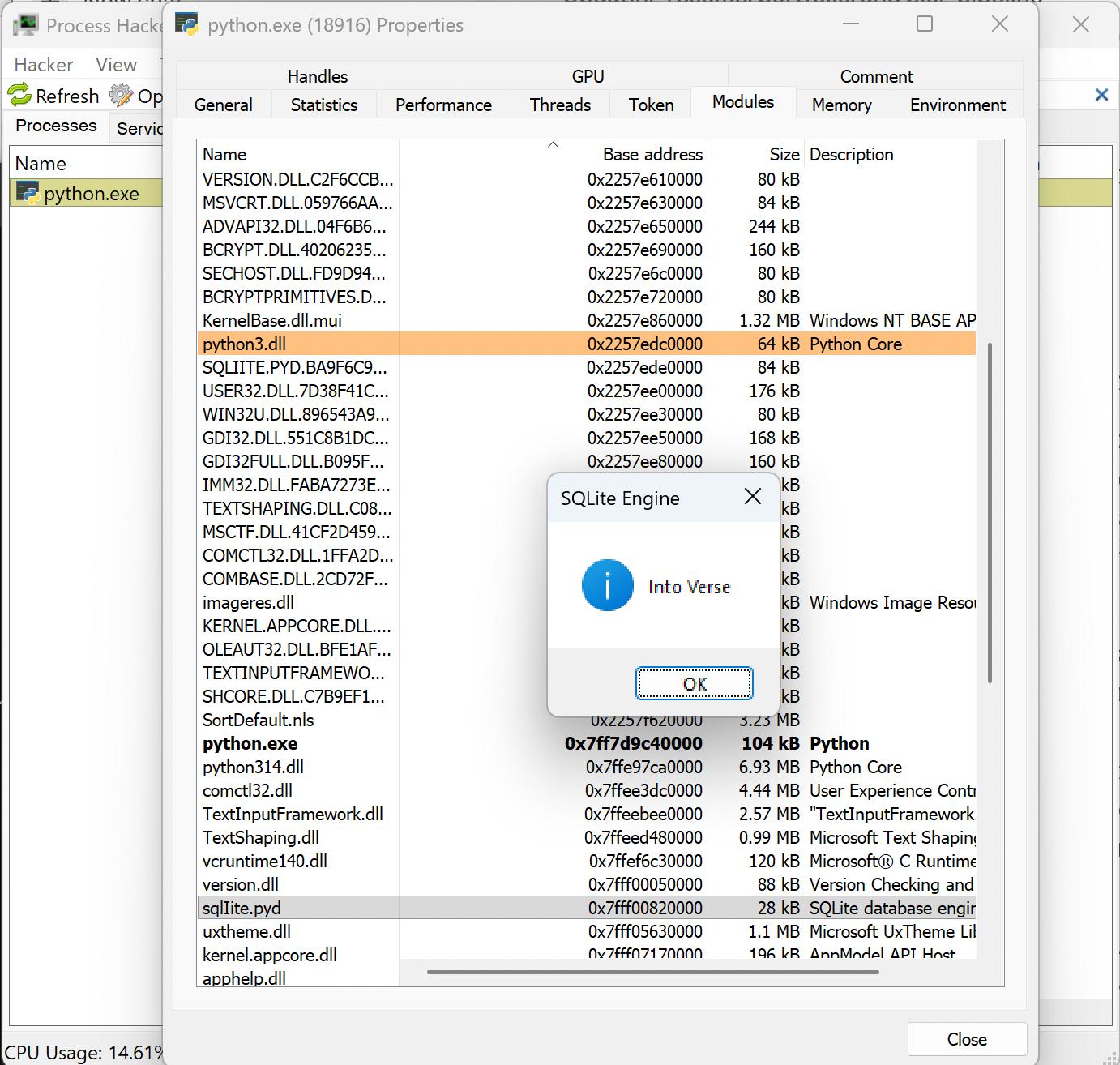
The MessageBoxW is invoked from within the sqlIite.pyd which was imported to the python interpreter
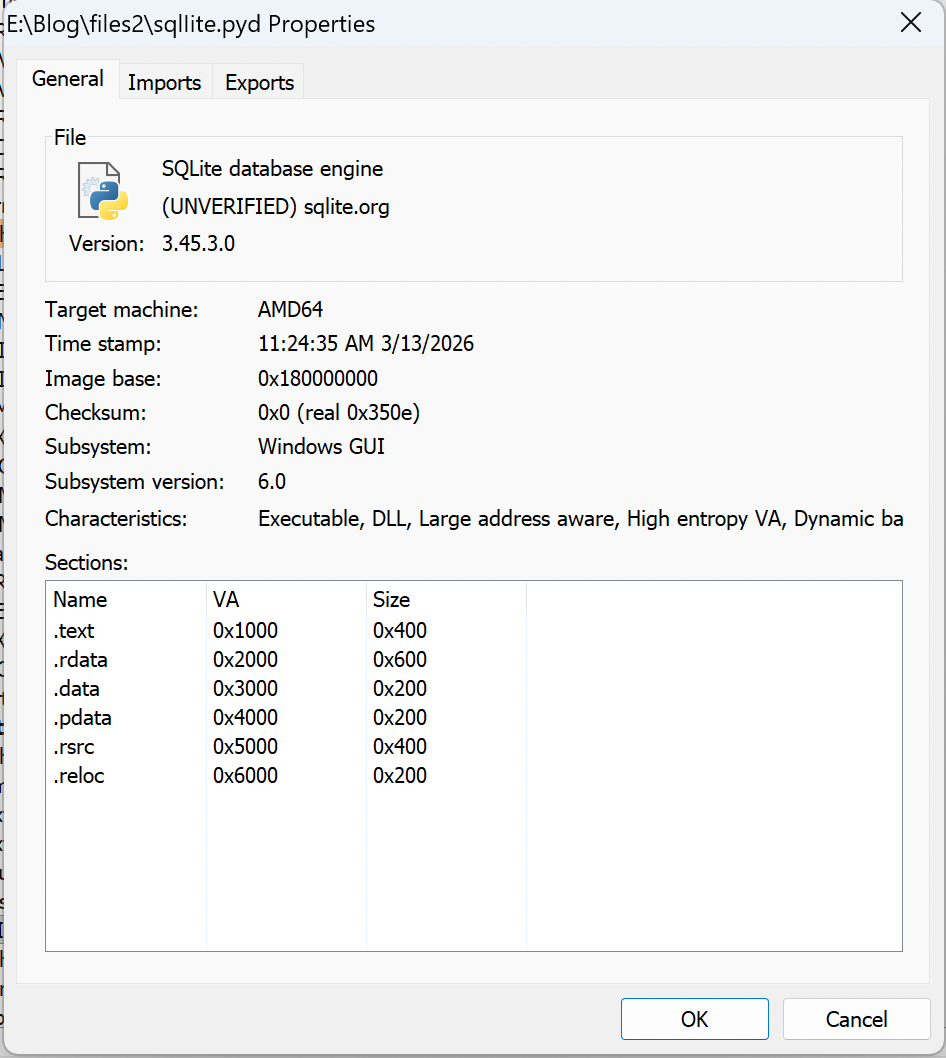
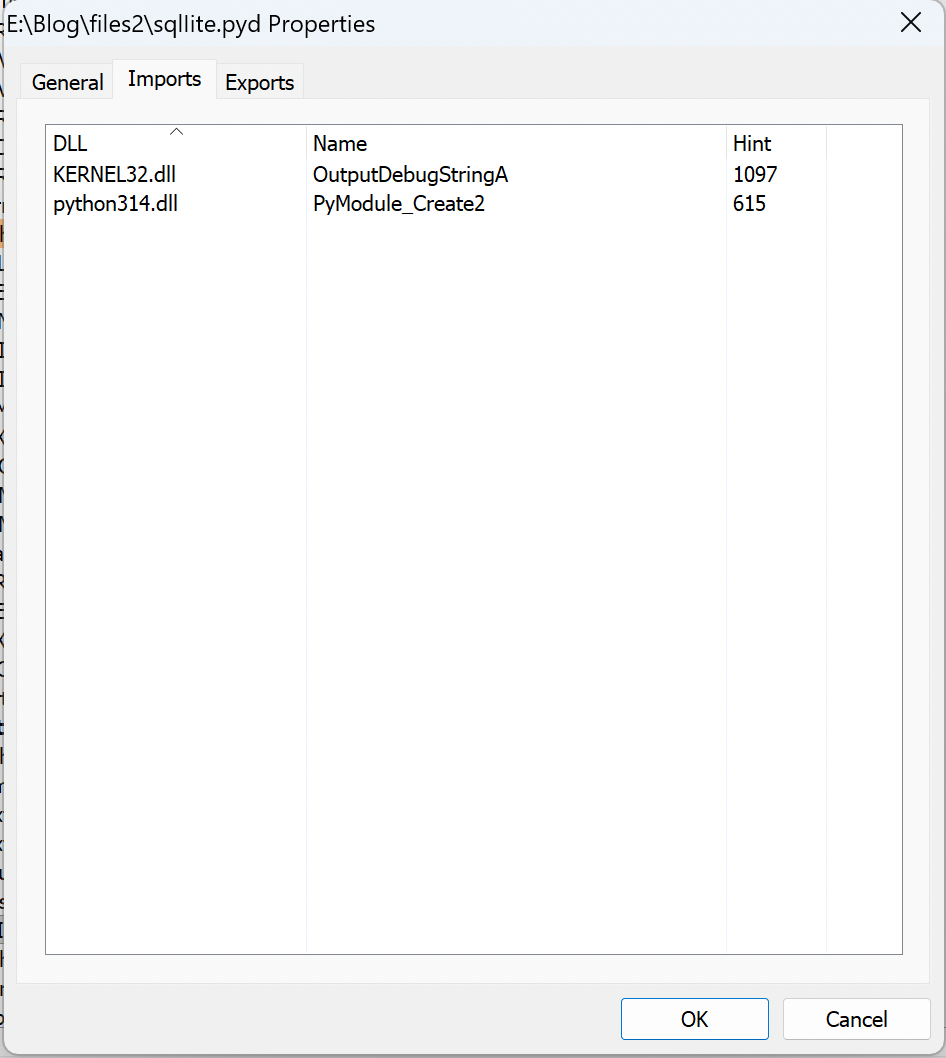
After removing CRT runtimes as well as dynamically resolving apis results in a minimal Import address Table
A simple API call such as MessageBoxW is obviously not malicious by itself. In this experiment, it merely serves as a proof of execution, demonstrating that native Windows APIs can be invoked directly from within a Python extension module. Many security solutions instrument commonly abused APIs and monitor runtime behaviour, such as unusual module loads or unexpected system calls. The interesting aspect of this experiment is therefore not the API call itself, but the initial surface of visibility.
A custom .pyd module compiled with minimal imports and APIs resolved dynamically at runtime presents fewer static indicators during initial inspection. Tools like strings.exe, PE viewers or static scanners see a tiny or empty Import Address Table, no obvious CRT strings, and limited exported symbols beyond the required PyInit_<modulename> entry point making it blend better as compared to a typical malicious DLL or EXE.
Despite this, the execution model remains fully observable at runtime. The .pyd is still a legitimate PE image (DLL) mapped into the Python process's address space via standard Windows loader mechanisms (LdrLoadDll, NtMapViewOfSection). Modern EDRs rigorously check for these paths through
Usermode hooks
Image load notifications & Kernel callBacks
Event Tracing for Windows, Threat Intelligence
Loading an unsigned module, oddly named one originating from non standard paths can generate telemetry or even pre execution block alerts in mature environments. In other sense, the technique is a form of Dll based execution and it occurs within the trusted context of a legitimate Python interpreter.
.pyd offers like an alternate execution space as compared to normal exe and dll